

PhotoGPT Makes Photoreal Nonprofit Campaign Images Feel Truly Human
Discover how nonprofits can use PhotoGPT to generate, edit, and enhance realistic AI images for campaigns, newsletters, events, and donation pages.
image for illustrative purpose
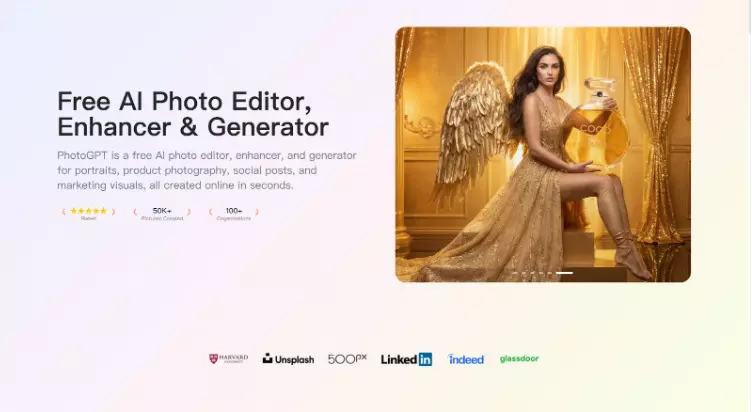
I manage communications for a nonprofit, and the hardest part is telling real stories with limited production resources. We need images for donation pages, newsletters, event flyers, and social posts, yet we cannot schedule photo shoots for every campaign. At the same time, authenticity matters. If visuals look artificial, supporters disengage. PhotoGPT fits this work because it focuses on realistic photo output and keeps the workflow online, covering generation, editing, and enhancement in one place. PhotoGPT helps me produce credible visuals that feel like real photography.
(Create All Type of Photo in PhotoGPT)
What I need from nonprofit visuals
Nonprofit messaging relies on trust. Images need to look respectful, believable, and consistent across platforms.
The baseline for “supporter ready” images
A usable campaign set needs:
Natural lighting and realistic skin texture
Clear subject focus with clean composition
Consistent mood across a multi channel campaign
High clarity for print, email, and social crops
PhotoGPT supports this because it aims for a camera like look instead of stylized output.
PhotoGPT generation for campaign themes and story visuals
Generation helps when we need new visuals for a specific campaign message. PhotoGPT works best when prompts describe a realistic scenario with simple lighting and clear framing.
(Any Photo, Any style, All in PhotoGPT)
How I prompt for credible campaign imagery
I keep prompts grounded:
One subject and one context, such as a volunteer moment or community scene
Soft natural light, realistic shadows, balanced exposure
Minimal background distraction, strong subject separation
Photoreal cues like depth of field and natural texture
This produces visuals that can sit alongside real photos without feeling out of place.
Where generation helps most
I use generation for:
Donation page hero images that match a campaign theme
Newsletter visuals that reinforce a story
Social cards for awareness weeks and events
Partner co marketing visuals with consistent style
It gives me speed without sacrificing the realistic feel that supporters expect.
PhotoGPT editing for respectful, controlled improvements
Editing matters because nonprofit visuals must stay authentic. I use edits to clean composition and improve readability, not to create dramatic changes.
Edits that matter in nonprofit workflows
Background cleanup so the subject stays clear
Style alignment so different assets feel like one campaign
Local refinements that improve polish while keeping realism
Variations that fit different placements without losing authenticity
PhotoGPT helps because the edits tend to maintain lighting coherence.
PhotoGPT enhancement for clarity across platforms
Nonprofit content often gets resized and compressed. Enhancement helps keep images crisp, especially when supporters view content on mobile.
When enhancement is most useful
I use enhancement for:
Sharper details for email and social previews
Standardizing quality across older assets
Improving clarity for print flyers and posters
This reduces extra manual retouching and keeps campaigns consistent.
RoomDesign for community spaces and event environment visuals
Many nonprofit campaigns include spaces: community centers, classrooms, meeting rooms, and event venues. When the environment is part of the story, RoomDesign becomes useful. RoomDesign focuses on room visuals and interior concepts, which helps create clear space imagery for campaigns.
(RoomDesign Homepage)
Where RoomDesign supports nonprofit content
RoomDesign is useful for:
Event venue mood visuals for announcements
Community room scenes for program storytelling
Interior concepts for space upgrades and fundraising
Consistent backgrounds for campaign graphics
It helps communicate the environment clearly, even when real photos are limited.
Conclusion
PhotoGPT (https://photogpt.io/) delivers a realistic photo centered workflow for generating, editing, and enhancing images online, making it easier to create credible campaign visuals that feel human and trustworthy. RoomDesign (https://roomdesign.io/) supports fast interior concept exploration and room focused visuals, helping nonprofits illustrate community spaces with clear, shareable interior scenes.
Try PhotoGPT: https://photogpt.io/





